Support › Late fees
Apply a late fee to an individual invoice
Charge a late fee on one invoice without creating a whole policy. If you have a policy set, you can override your default per customer.
- Charge a late fee on one invoice without creating a comprehensive policy
- Apply any overdue invoices when you create the late fee
- Override any policy defaults that already exist
- Raise the fee in Xero as a draft to approve, the same way a policy fee works
Available on all plans
How to apply a late fee to one invoice
Go to the customer and open Policies
Creating a late fee for a specific customer will not affect any other customers.
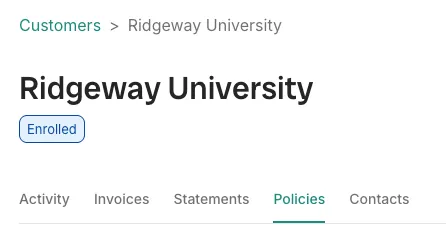
The Policies tab on a customer record. Click ‘Set up’ payment fee and choose which overdue invoice(s) to apply it to.
Choose which overdue invoice you want to apply a late fee to or select multiple to apply in bulk.
Configure the late fee details for the invoice(s)
Trove pre-fills your account defaults if you have them: late fee type, invoice status, description and account code. Anything you change here applies to the selected invoice(s) only.
Click Next, review and confirm
Trove will give you a preview of the original invoice and late fee. If you are happy, you can confirm which will raise a draft invoice to approve in Xero.
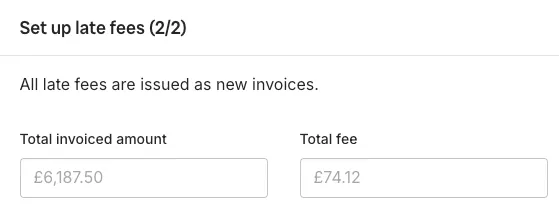
Reviewing the total invoice and fee before confirming.
When to use this instead of a policy
A late fee policy only picks up invoices that pass your threshold after you save it, so anything already overdue at that point remains untouched. To apply a late fee to these older overdue invoices, follow the instructions here.
It’s also the way to give one customer different terms. By applying an ad-hoc late fee, you can override your company’s policy as a one off.
Sending your customer a late fee invoice
By default, Trove raises the fee as a draft invoice in Xero, which someone needs to approve before it reaches the customer. More on sending late fees here.
What plans include it
Available on all plans
This feature is part of Trove's core set and is included on all plans.
Ad-hoc late fees need a connected Xero account, because the fee itself is raised as an invoice in Xero.