Credit control reporting
Live reports on what's owed, who's getting worse and what's been paid.
- Built using live data from your ERP
- Can be sent via email, no Trove login needed
- Build custom and group reports
Essential
Use saved reports in Trove.
Integrated
Build your own custom reports from ERP data.
Advanced
Report at a group-level.
Trusted by finance teams around the world







How credit control reporting works in Trove
-
1
Ready-made reports from day one
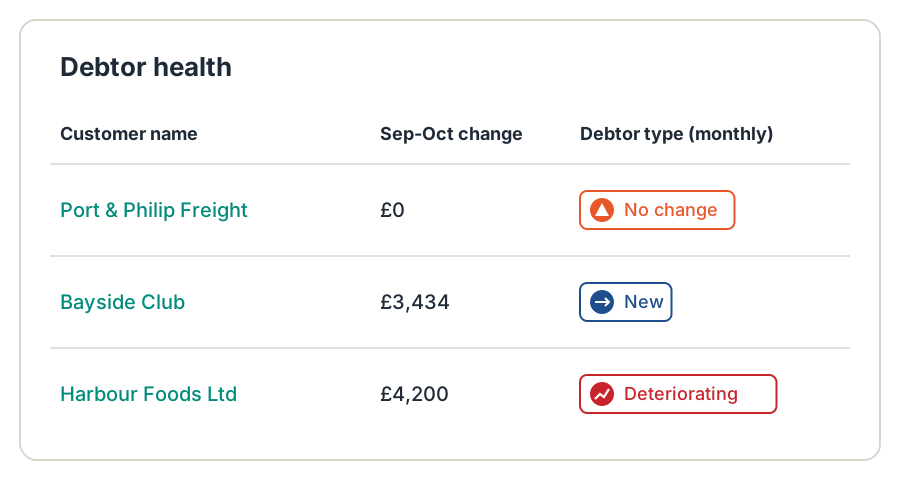
Trove shows your overdue invoices, which customers are improving or getting worse, and what's been paid recently, as soon as you connect.
Reports update in real time as payments and invoices change in your accounting system, so the numbers are never a day out of date.
-
2
Sent to the people who need them
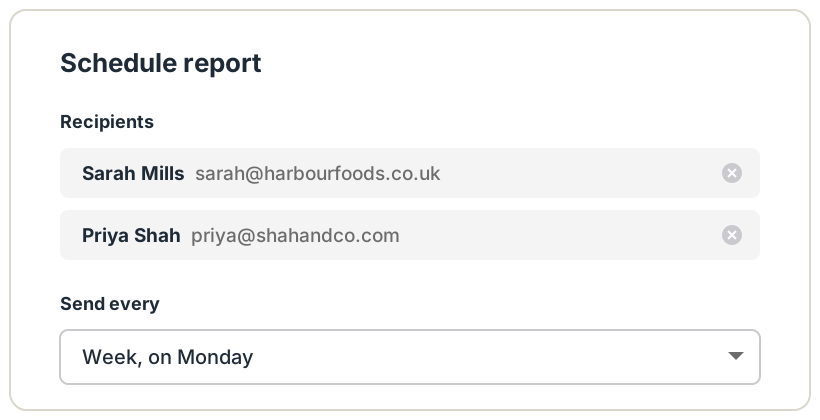
Set a report to go out daily, weekly or monthly. Recipients get the figures in an email, with a link to the live view, and don't need a Xero or Trove login.
On the Integrated plan, reports can go to a Slack or Teams channel too.
-
3
Build your own reports
Integrated
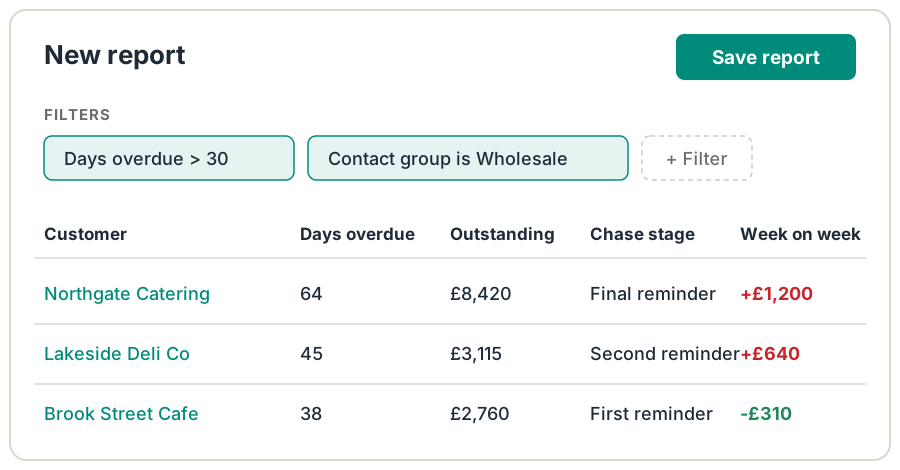
Build reports in Trove on the data you already hold: days overdue, customer, contact group, amount outstanding, due date, chase stage, owner or the change in balance week on week.
Save a report once and it's there every time, with no export to rebuild each Monday.
-
4
One view across your group
Advanced
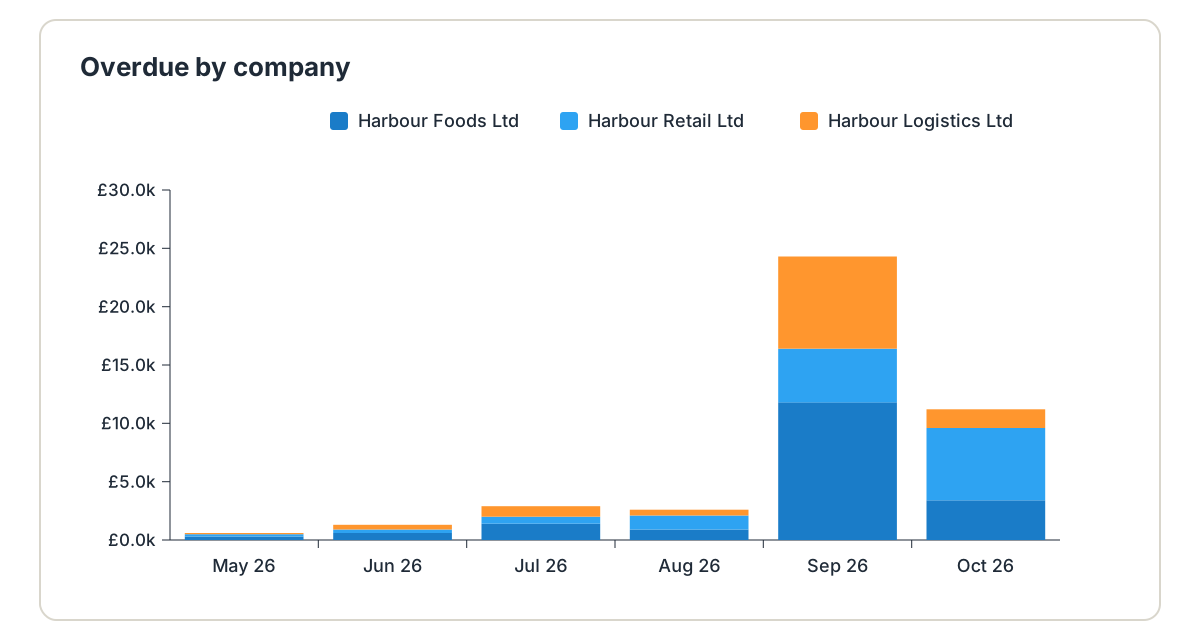
If you run several companies, Trove shows overdue debt across the whole group in one report, with a breakdown by entity.
Balances in different currencies are converted into one total, so the group figure is ready for the board without a spreadsheet.
Resources on credit control reporting
- Reporting
Stop rebuilding the same debtor report in Excel every week
Export from Xero, paste into Excel, fix the formatting, send it round. How to build the report once and let it update itself.
Read now - Groups
The credit control reports that matter when you run a group
Here are the four credit control reports worth having across a multi-entity group of companies and why.
Read now - Alerts
How to spot when a customer's overdue balance is growing in Xero
Xero's ageing report ranks by size and age, not by which accounts are getting worse. How to see the balances that are growing, and act on them.
Read now
Credit control reporting: common questions
Everything you need to know
What reports does Trove include?
Every plan includes saved reports on overdue invoices, debtor health and recently paid invoices. You can build your own reports on the Integrated plan, and see reports across your whole group on Advanced.
Are Trove's reports live?
Yes. Trove syncs with your accounting system in real time, so reports reflect payments and new invoices as they happen.
Can I send a report to someone who doesn't use Trove?
Yes. Set a frequency and enter their email address. They get the figures in an email with a link to the live view, and don't need a Xero or Trove login.
Can I build my own credit control reports?
Yes, on the Integrated plan. Filter on days overdue, customer, contact group, amount outstanding, due date, chase stage, owner or week-on-week change, and save the report to use again.
Can I report across several companies?
Yes, on the Advanced plan. Group reports show overdue debt across every entity, with a breakdown by entity and balances converted into one currency.
Can reports go to Slack or Microsoft Teams?
Yes, on the Integrated plan. Reports can be posted to a Slack or Teams channel on a schedule.
Related features
-
Multi-entity support
Every company in your group under one login, with each brand chasing on its own.
-
Slack and Teams alerts
Payments, replies and regular reports posted to Slack or Teams, in a channel or a direct message.
-
ERP integrations
Two-way sync with Xero, QuickBooks, FreeAgent, Stripe, Business Central, Sage and NetSuite.
See it working on your own customers
See credit control reporting in action.
Saved reports are on every Trove plan. Build your own reports on Integrated, and see them across your whole group on Advanced.
Last updated