Late payment policies
Use payment plans and late fees in your credit control.
- Automatically apply late fees on overdue invoices.
- Offer payment plans so Trove only chases missing instalments, not the whole invoice.
- Customise your policies at a customer level where needed.
“Cash is tight this month. We can do £1,500 now and the rest over the next two months, if that works?”
- Today £1,500
- 30 Nov £967
- 31 Dec £967
Trusted by finance teams around the world







“We are beyond thrilled with Trove - the functionality is exactly what we need and the customer service is fantastic.”
Nicole Brown
VP Operations

How late payment policies work in Trove
-
1
Late fees on your terms
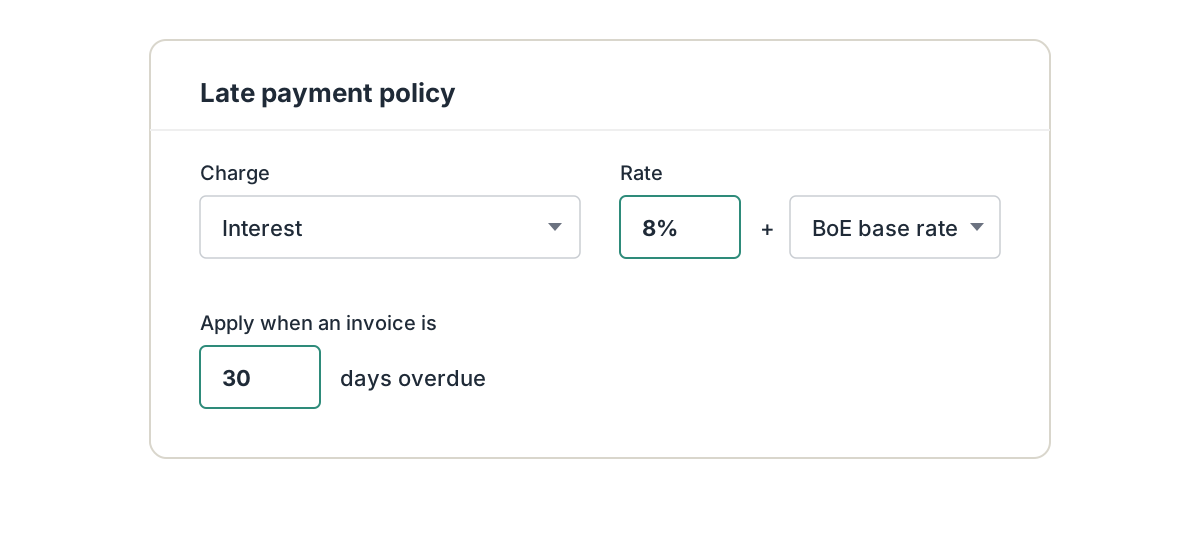
Set up a statutory late fee policy in Trove or build your own. Run different policies for different customers, or add a fee to a single invoice when you need to.
Add a warning before any late fees are applied (often all you need to get a payment).
-
2
Customer-by-customer control
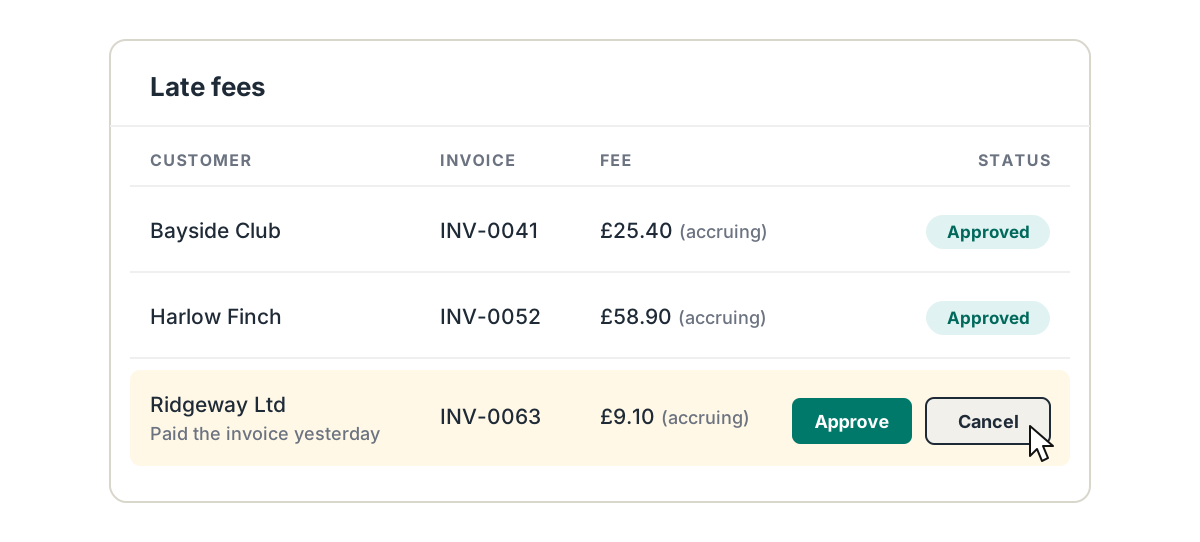
Review fees before Trove sends them to the customer, or have them sent as soon as they're raised.
Waive a fee if a payment is made or switch policies off for a customer altogether.
-
3
Payment plans without the spreadsheet
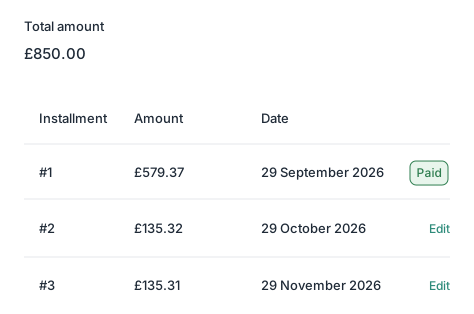
When a customer can't pay in full, agree a plan and set it up in Trove. Split what they owe into instalments so that if they miss one, Trove chases only that instalment.
Resources on late payment policies
- Late fees
How late payment fees work in Trove
Trove applies UK late payment fees automatically: a policy per workflow, calculated on every overdue invoice, shown on statements, and waived when paid.
Read now - Late fees
Late payment fees in the UK: a complete guide (2026)
If a business pays an invoice late, you have a legal right to charge interest and a fixed fee. Here's how late payment fees work in the UK.
Read now - Late fees
How to run two different late payment fee policies for different customers
You may want to treat long-standing customers differently to serial late payers. What you can do in Xero, and how a two-policy split works.
Read now - Payment plans
How payment plans work in Trove
A step-by-step look at setting up payment plans in Trove: default plans, applying them to a balance or invoice, and chasing only the late instalment.
Read now - Payment plans
When to offer a payment plan and when to avoid one
How to decide whether a payment plan is the right call, with email templates for how to offer one and how to say.
Read now - Calculator
Late payment fee calculator for UK invoices
Calculate exactly what a late-paying business customer owes you using Trove's free late payment fee calculator.
Read now
Late payment policies: common questions
Everything you need to know
Can Trove add late payment fees automatically?
Yes. Set a late payment policy and Trove adds the fee or interest once an invoice is as overdue as you've chosen. You can also add a fee to a single invoice by hand.
What kinds of late fee can I charge?
Interest, compensation fees and one-off charges are all supported, and every policy is customisable, including when it applies and which customers it covers.
Can I warn customers before a fee is added?
Yes. Add a warning to your reminders so customers know a fee will apply if they don't pay. You choose the wording and when it's sent.
What happens if the customer pays before the fee is sent?
You can choose to cancel the fee when the customer pays the original invoice, or keep it.
Can a payment plan cover more than one invoice?
Yes. One plan can cover several invoices for the same customer. You can edit each instalment amount, and count a payment they've already made as the first instalment.
Which Trove plans include late payment policies?
Late fees and payment plans are included on every Trove plan, from Essential up, and work with every accounting system Trove connects to.
Related features
-
Personalised emails
Tailored reminder emails and statements, written with AI and worded differently every time.
-
AI Reply Agent
Reads customer replies, logs promised payment dates and drafts your response for you to approve.
-
Credit control reporting
Live reports on overdue invoices and debtor health, with your own reports and group reporting on bigger plans.
See it working on your own customers
See late payment policies in action.
Last updated