Personalised emails
Chase overdue invoices with tailored emails and statements.
- Write your own templates or generate using AI.
- Trove varies the wording of each email to keep templates fresh.
- Set up a schedule to have statements sent automatically.
Quick one: INV-20089 is now 14 days overdue. Would you be able to take a look on your side?
Sentences in amber are AI-enhanced and cycle through your chosen alternatives.
Trusted by finance teams around the world





How personalised emails work in Trove
-
1
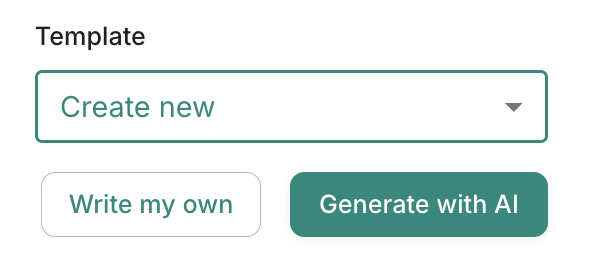
Generate a template in seconds or write your own
Describe the email you want and Trove generates a first draft for you to edit. Moving from another tool? Paste your existing templates into the prompt and Trove adds the right fields for you.
All sent with your signature automatically attached.
-
2
Reminders that don't read the same every week
Customers stop reading a reminder once they've seen it word for word. Trove rotates through alternative wordings with every email it sends.
The message and tone stay yours. Only the phrasing changes to keep emails fresh.
INV-20089 Reminder emailI hope you're well.Quick one: INV-20089 is now 14 days overdue. Would you be able to take a look on your side?
Sentences in amber are AI-enhanced and cycle through your chosen alternatives.
-
3
Different sequences for each type of customer
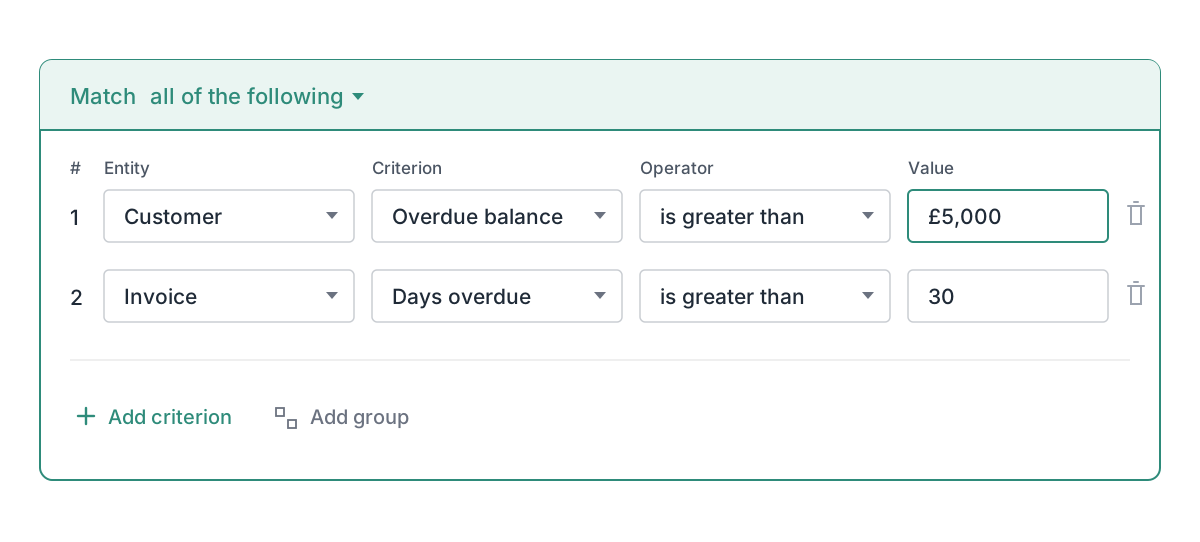
You know which customers need a different approach. Enrol customers into Trove workflows using data like line item, location or how overdue they are.
Each workflow has its own reminders, its own wording, and a thank-you when they pay.
-
4
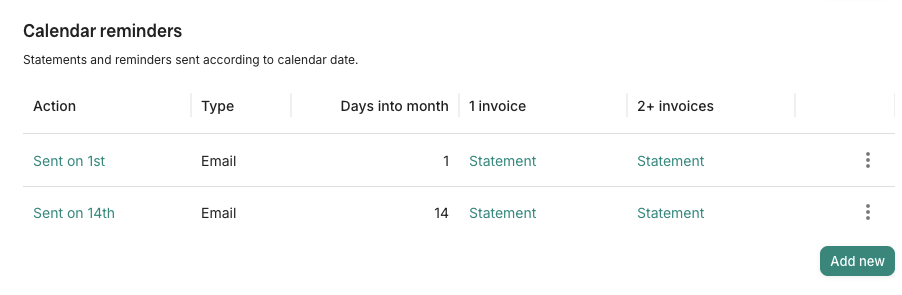
Regular statements with custom fields
Custom fields on Integrated Plan+
Schedule monthly statements in Trove to every customer or only those who are overdue.
On the Integrated Plan and above, you can also choose which statement fields such as line items or account codes.
“You can just jump in and send an email in the right tone of voice. It's quick for you and not so spammy for customers.”
Daniel Gilmour
Director

Resources on personalised emails
- Workflows
Setting up different invoice reminders for different Xero customers
Xero's built-in reminders use the same template for every customer. Here's how to run different reminder workflows per customer type.
Read now - Trove data
Two reminders bring in 75% of the invoices that get paid. Here's the data.
We looked at every invoice chased through Trove to see how many get paid after each reminder, and how many reminders are worth sending.
Read now - Xero credit control
Sending a reminder before the due date in Xero
Xero can send a reminder before an invoice is due, but with limitations. When to send one, what to write, and the main limit for corporate customers.
Read now - Statements
Can Xero send statements automatically? No, but here are the workarounds.
Xero can't schedule statements, but you can email every customer in one batch. Here's how, plus the apps that automate it from £8 a month.
Read now
Personalised emails: common questions
Everything you need to know
Can Trove write my invoice reminder templates for me?
Yes. Describe the email you want and Trove generates a first draft with the invoice details filled in as dynamic fields. You can edit it before it's used, or write your own from scratch.
Can I use the reminder templates I already have?
Yes. Paste your existing templates into the AI prompt and Trove rewrites them with the right dynamic fields, such as invoice number, due date and amount.
Will customers notice the reminders are automated?
They're far less likely to. AI variation changes the phrasing between emails, so customers don't get the same text every week, and every email comes from your own address with your signature.
Can different customers get different reminders?
Yes. Each workflow has its own schedule and templates, and you choose which customers go into it using details from your ledger, such as balance, address or account number.
Can Trove send customer statements automatically?
Yes. Add a statement step to any workflow and Trove sends it on the days of the month you choose, to every customer in that workflow or only to those who are overdue.
Which Trove plans include personalised emails?
Personalised emails are included on every Trove plan, from Essential up. Choosing which fields appear on statements, such as line items or account codes, is on the Integrated and Advanced plans.
Related features
-
AI Reply Agent
Reads customer replies, logs promised payment dates and drafts your response for you to approve.
-
Send from a custom domain
Every reminder comes from your Gmail, Outlook or own domain, and replies come straight back to you.
-
SMS and letter on demand
Add texts and branded letters to your chasing, or send one whenever you need it. Pay as you go.
See it working on your own customers
See personalised emails in action.
Last updated