Summary
- The problem: Xero reminders go to the same contact as the invoice, so there’s no setting to send invoices to one address (e.g. AP software) and reminders to another automatically.
- Why it matters: when a reminder lands in the same AP inbox as the invoice, automated systems can read it as a duplicate and hold up payment.
- Manual workarounds: edit the recipient before every send, or turn reminders off entirely for affected customers - both trade away automation.
- How Trove fixes it: set a separate contact for reminder emails, as a default rule or per invoice, while the invoice keeps going to the AP inbox via Xero.
Can you send Xero reminders to a different email than the invoice?
Not automatically. When Xero sends a reminder, it ignores the address you used on the invoice and pulls from the customer’s contacts instead - the primary contact, plus anyone with “Include in emails” ticked. So if a customer wants invoices at one address and reminders at another, Xero treats both as the same destination.
You can manually edit every single reminder (more on this below), but if you send repeat invoices to the same customer each month there’s no way to automatically send invoice reminders to a different email than the invoice itself.
Why does sending reminders to the same email cause problems?
For small, single-contact customers, it usually doesn’t. The problem shows up with larger customers and (at its worst) it can break their accounts payable system.
More and more companies route supplier invoices into automated AP software. When an invoice reminder lands in that same inbox as the original invoice, the automated system often reads it as a second invoice. Someone then has to manually unpick the duplicate before the payment can be released, so the reminder you sent to speed things up actually holds the payment back.
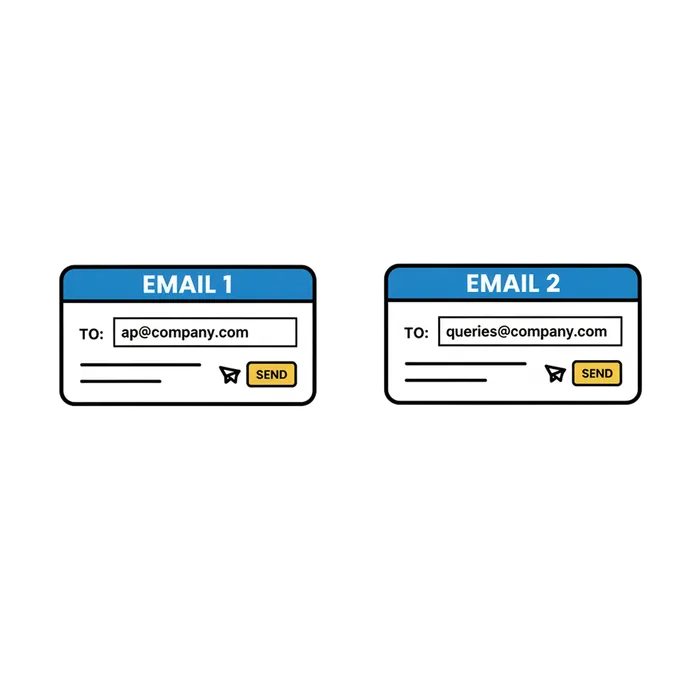
If this sounds like you, you probably have a straightforward fix in mind: introduce a setting to send different information to two emails:
- One email to submit invoices to the AP software (e.g.
ap@acme.com) - One email for invoice reminders (e.g.
billing.queries@acme.com)
Two email addresses for two different jobs.
This is one of the older requests on Xero’s product ideas board, with 77 businesses asking Xero for it and comments going back to 2022. Xero’s position hasn’t changed: reminders go to the contact record and you currently can’t separate them. Adding your vote there is worth doing, but it won’t fix today’s chase.
Is there a manual workaround for sending invoice reminders to a different email address?
There are two things you can try inside Xero, both manual.
-
Edit the contact record before every invoice is sent. When you click ‘approve and send’ for an invoice, swap out the recipient top left. This means the invoice will be sent to a different email address vs the invoice reminders. It works for a one-off, but it adds a manual step to every invoice and one missed edit sends the chaser to the wrong place.
-
Turn reminders off for any customers with two email addresses and chase manually. That removes the wrong-inbox risk, but you lose automation for exactly the customers who tend to pay slowest.
If you only need to chase one invoice today, here’s how to send the reminder manually to a different email.
Neither quite does the thing you need: keep the invoice email address and the reminder email address separate, automatically.
How to send Xero invoices and reminders to different emails with Trove
Trove connects to your Xero account and lets you set a contact for email communication. The invoice can keep going to the AP inbox via Xero while the chasers go to the queries inbox automatically via Trove.
You can set this as a default rule so it applies to every invoice for a customer, or do it per invoice when a one-off needs a different recipient for chasers (as in the below screenshot). Either way the reminder goes to the email address you choose, and no one else on the Xero customer gets chased.
“This app has saved us a huge amount of valuable time. We had always struggled with Xero’s automated email function, as we invoice multiple clients within the same organisation. This app has allowed us to assign email addresses to individual invoices, which has made the process far more efficient. I would highly recommend it to any organisation facing the same issue. Trove is easy to use and very forward thinking, actively taking on customer feedback and implementing changes to meet customer needs.”
Daisy Docherty, Head of Finance, GTR. Read full review
Try it on your own Xero account
Trove runs a free 30-day trial and takes about 15 minutes to connect to your Xero account. Start a free trial or book a demo if you’d like to see the routing in action first.
If your problem is slightly different - reminders going to everyone on the contact rather than to the wrong single inbox - start with why Xero sends invoice reminders to the wrong contact, and how to control who gets them. If you invoice several people inside the same company, see invoicing different departments in one company.