Summary
- A customer gets chased twice when the people chasing them keep their contact in different places. A partner or account manager calls from their phone, finance emails from the ledger, and neither sees what the other did.
- The fix has three parts: one owner per account, every contact logged in one place, and a hold on the reminder sequence while someone is talking to the customer. Each hold needs a reason, an owner and a date to look again.
- Calls and WhatsApp messages that happen outside your systems still need logging. Whoever made the contact adds a one-line note to the account the same day, saying who they spoke to, what was agreed and when to follow up.
- Trove is credit control software that gives every overdue account an owner on a shared Kanban board, with notes kept on the account. Customer replies land in one Trove inbox, and Trove pauses chasing on an invoice when a payment date is logged against it.
- Trove writes its notes and the emails it sends back to Xero, QuickBooks, FreeAgent, Business Central and the other accounting systems it connects to, so someone working in the ledger sees the same chasing history.
Why the same customer gets chased twice
Double chasing comes from two sources of truth and no rule about which one wins. The ledger says the invoice is overdue, so the person running the weekly chase sends a reminder. Meanwhile someone else has already spoken to the customer, and that conversation lives in their phone, their inbox or their head.
We heard a clear version of this on a demo call with an accountancy practice chasing its own clients’ fees. A partner chased the clients they knew well, often on WhatsApp, whenever it came up. The partner’s PA ran a weekly chase from the Xero statements and kept notes in Xero.
The partner never looked at those notes, and the PA never saw the WhatsApp messages. Their question was simple: how do two of us chase one ledger without both contacting a client on consecutive days, and how do we see why a client is on hold?
Three gaps cause it, and they usually come together:
- No owner. Nobody is named as the person responsible for the next contact with this customer, so both people feel responsible.
- No shared log. Contact made outside the ledger isn’t recorded where the other person looks.
- No hold. Nothing stops the scheduled reminder when someone has agreed something with the customer.
Fix one and you’ll still get the odd double chase. Fix all three and it mostly stops.
Give every account one owner
Every overdue account should have exactly one named owner at any time: the person who makes or approves the next contact. Two people can both talk to the customer, but only one of them is responsible for what happens next.
For most accounts, the owner is whoever runs the chasing day to day: the credit controller, the finance assistant or, in a practice, the partner’s PA. Ownership moves only when someone else takes over a live conversation, and it moves back when that conversation ends.
| Situation | Owner | Who logs the contact | Is the reminder sequence held? |
|---|---|---|---|
| Routine overdue invoice, no conversation going on | Finance (credit controller, PA or finance assistant) | Finance, though reminders sent from the system log themselves | No. The sequence runs |
| Partner, director or account manager is talking to the customer about the money | The person having the conversation, until it ends | The person having the conversation, the same day | Yes, on the invoices being discussed, until the agreed date |
| Customer has promised a payment date | Finance | Whoever heard the promise | Yes, until the promised date. Chasing restarts the day after if nothing arrives |
| Customer has raised a query or dispute | Whoever can resolve it, usually the relationship owner | Whoever received the query | Yes, on the disputed invoice only, with a review date about 5 working days out |
| Customer has gone quiet after several reminders | Finance, with the relationship owner brought in | Both, as each makes contact | No. Silence is a reason to change the approach, not to stop |
The last row matters. When a customer stops answering, it’s tempting for the partner or account manager to take it over completely. Keep finance as the owner and bring the relationship owner in as the next step. Here’s when to hand an overdue account to the account manager, with the triggers to agree in advance.
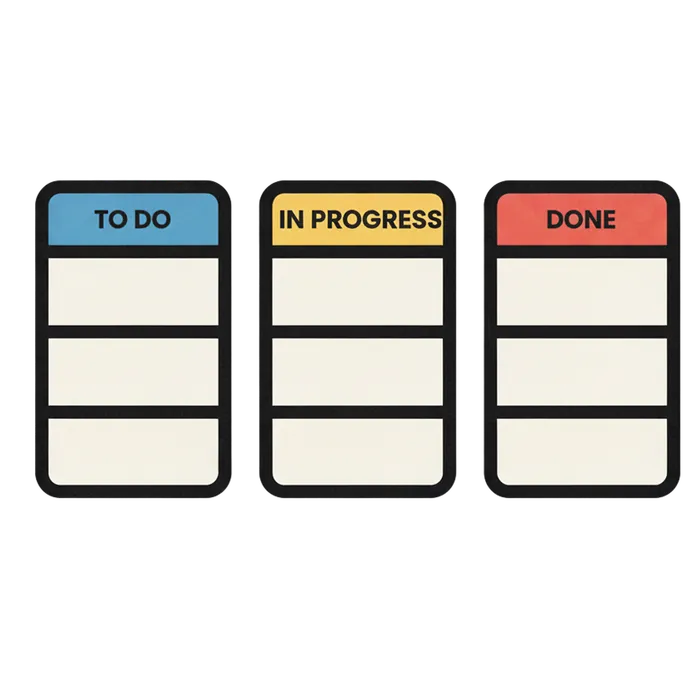
In Trove, the owner sits on the account’s card on the Kanban board. The board reads your accounting system, so overdue accounts appear on their own, and you set the columns to match how your team works, such as “in discussion”, “promised to pay” or “disputed”.
Log every contact in one place
Every contact with a customer about money goes on the account, including the ones that happened outside your systems. That’s the only way the next person to pick up the account knows what’s already been said.
Emails are the easy part. Reminders and statements sent from your credit control system are logged automatically, and in Trove, customer replies come back into one inbox against the customer. Calls, texts, WhatsApp messages and conversations in the corridor are the hard part, because nothing records them unless a person does.
The rule that works is short: if you spoke to a customer about an overdue invoice, add a note to the account before you finish for the day. A useful note answers four questions:
- Who you spoke to, and how (phone, WhatsApp, in person)
- What they said, in one line
- What was agreed, with a date if there was one
- What happens next, and who does it
“Called Mark, FD. Both invoices paid 20 Nov once he’s back from leave. Priya to restart chasing 23 Nov if not paid” is a good note. “Spoke to client” isn’t.
Where the note lives matters as much as what it says. If finance works in the ledger and the partner works in a credit control tool, the notes need to reach both. Trove writes notes and the emails it sends back to the customer or invoice in your accounting system, as described on the ERP integrations page, so someone who only opens Xero still sees the chasing history.
If you’re still deciding who should get the reminders in the first place, it’s worth checking the contacts too. Xero sends reminders to everyone on the customer record, which can produce its own kind of double chase.
Hold the sequence while someone is talking to the customer
When someone outside finance is in a live conversation with a customer about money, the automated sequence on those invoices should pause until a set date. Otherwise a reminder lands in the middle of the conversation and undoes it.
In a practice, the partner owns the client relationship and the PA runs the sequence from the ledger. Both jobs stay.
The partner should keep talking to clients, about fees as much as anything else, because they’re the person the client listens to. What joins the two jobs is one step: the day the partner speaks to a client about an overdue bill, the call goes on the account as a note, and the PA holds the sequence on those invoices until the date the partner agreed. The PA doesn’t have to chase the partner for news, and the client doesn’t hear from both of them in the same week.
Three rules keep holds from turning into forgotten debts:
- Hold the invoices being discussed, not the whole customer, unless the conversation covers everything they owe.
- Set a date to look again, at most 5 working days away if no payment date was agreed. If a payment date was agreed, the hold ends the day after it.
- Finance lifts the hold, not the person having the conversation. Finance owns the ledger, so finance checks on the date and restarts chasing if nothing has changed.
In Trove, chasing on an invoice pauses when an expected payment date is logged against it, and Trove books a follow-up in case the payment doesn’t land. If the invoice is paid first, the follow-up is cancelled. The date can come from a customer’s emailed reply, through Trove’s AI Reply Agent, or be set by your team. Our guide to pausing invoice reminders for one customer covers how pausing works in Xero, Business Central and Trove in more detail.
If you want a firmer check, Trove’s user roles and approvals on the Advanced plan let you limit who can send emails to customers, so anything else waits for an approver. Every approval and rejection is stored in the customer’s notes.
Show why a customer is on hold
Anyone who opens a held account should see three things without asking: the reason, the owner and the date to look again. If any one of them is missing, the hold either gets ignored or never ends.
| What to show | Why it matters | Example |
|---|---|---|
| Reason | Stops someone chasing over an agreement, or leaving the hold on after the reason has gone | "Partner agreed payment on 20 Nov on a call, 11 Nov" |
| Owner | Tells everyone who to ask, and who will act on the date | Sarah (partner) until 20 Nov, then Priya (PA) |
| Date to look again | Turns a pause into a restart rule, so nobody has to remember | 23 Nov, if the payment hasn't arrived |
On Trove’s Kanban board, the card shows the account’s owner, and the column it sits in shows its stage. A column called “partner talking” or “promised to pay” tells the whole team why an account has gone quiet. Open the card and the notes show what was said and what was agreed. The expected payment date on the invoices is the date to look again.
For teams that don’t want to open Trove all day, Slack and Teams alerts can send a direct message to the person who owns the customer when that customer pays or replies, or post to a shared finance channel.
Worked example: Example Practice LLP, a partner and a PA
Example Practice LLP chases its own clients’ fees. Sarah is the partner who looks after Example Builders Ltd, which owes £6,200 across two overdue invoices, EP-2207 (£4,000) and EP-2231 (£2,200). Priya is Sarah’s PA and runs the weekly chase from the ledger.
The week before
| Day | Sarah (partner) | Priya (PA) | What the client sees |
|---|---|---|---|
| Mon | - | Sends the weekly statement from Xero, listing both invoices | A statement |
| Tue | Sends the client's director a WhatsApp message about the two invoices | - | A message from Sarah |
| Wed | The director calls back and promises to pay both on 20 Nov. Sarah makes a mental note | - | An agreement with Sarah |
| Thu | - | Works through the call list, phones the director about both invoices, then adds a note in Xero saying "chased" | A chasing call a day after agreeing a date. The director is annoyed |
| Fri | Hears about the call from the director, and asks Priya why she chased | Didn't know about the agreement. No hold was ever set | Nothing new, but the director has had four contacts in four days |
The week after
| Day | Sarah (partner) | Priya (PA) | What the client sees |
|---|---|---|---|
| Mon | - | Owns the account on Trove's board. The scheduled reminder for both invoices goes out from Trove | One reminder |
| Tue | Sends the director a WhatsApp message, then adds a note to the account in Trove: "WhatsApp to director re EP-2207 and EP-2231" | Sees the note. Sarah becomes the owner and the card moves to the "partner talking" column | A message from Sarah |
| Wed | The director calls back and promises both on 20 Nov. Sarah adds a note: "Director promised both invoices 20 Nov. Priya to pick up if not paid" | Logs 20 Nov as the expected payment date on both invoices. Trove pauses chasing on them and books a follow-up | An agreement with Sarah |
| Thu | - | Skips Example Builders Ltd on the call list. The card shows it's on hold with Sarah, and why | Nothing |
| Fri | - | Notes and emails have been written back to Xero, so anyone who opens the client in Xero sees the same history | Nothing |
The client hears from the firm three times instead of four: one reminder, Sarah’s message and her call with the director. None of them crosses another. On 20 Nov, if the money arrives, the follow-up is cancelled. If it doesn’t, Priya owns the account again and Trove’s follow-up goes out.
Sarah didn’t stop talking to the client. She talked to them, and wrote it down where Priya would see it. For more on how practices set up chasing for their own fees and for clients, see credit control software for accountants.
FAQs
How do we stop chasing a customer twice?
Name one owner for each overdue account, log every contact on the account the same day, and pause the reminder sequence on any invoice someone is actively discussing with the customer. In Trove, the owner sits on the account’s card and a logged payment date pauses chasing on that invoice. Read more about how Trove’s Kanban board works.
How do I see who chased a customer last?
Look at the account’s notes and sent emails in one place. In Trove, reminders and statements Trove sends, customer replies and your team’s notes all sit on the customer, and they’re written back to your accounting system too. Read more about Trove’s two-way ERP integrations.
Should partners chase clients themselves?
Partners should keep talking to their clients, including about overdue fees, because they own the relationship. What works better is giving the routine sequence to the PA or finance team and having the partner log their conversations on the account, so the sequence holds while they’re talking. Here’s how to run credit control without a dedicated AR team.
Where should credit control notes live?
On the customer account in whatever system both people look at, and ideally in the ledger as well. If notes live in one person’s inbox or phone, the other person can’t see them. Trove keeps notes on the account and writes them back to Xero, QuickBooks, FreeAgent, Business Central or NetSuite.
What if the customer is on a payment plan?
Chase the instalments, not the original balance, and make finance the owner. Our guide to managing a payment plan you’ve agreed with a customer covers what to agree and how to handle a missed payment. If you’re setting chasing up for the first time, how to implement automated credit control has a two-week rollout plan.
Trove runs a free 30-day trial and connects to your accounting system in a few minutes. You can start a free trial here or book a demo if you’d like to see owners, notes and holds on your own ledger first.